
Recruiting
First calls run through a recruiter pool. Technical interviews get several required roles and fallback people.
For recruiting teams and staffing consultancies.
Kailenty
Kailenty takes external meetings from first contact to confirmed appointment. Your team shares booking links, Kailenty checks calendars, capacity and required roles and staffs every meeting with the right people. The AI assistant Kaly prepares invitations and manages appointments.
Illustrative product view
Four functional areas, each with an example flow.
A public booking link sits on your website, in your email signature or in a campaign and accepts any number of bookings. For a specific contact you create a personal invitation or derive a sub-invitation from the public offering.
Your benefit. A meeting offering is set up once and used again and again. Every booking becomes its own appointment with host, contact and answers.
The staffing of a meeting consists of people and labels. A group describes a required seat, for example “recruiting” or “technical expert”. Kailenty only offers times at which every required seat can be filled by a different suitable person.
Your benefit. Nobody phones around for free calendars. If the preferred expert is busy, the next tier steps in, and meetings are spread across the team.
If two or more external people have to attend, Kailenty collects their preferred times. Each person gets their own link and ranks suitable times by priority. Kailenty determines the appointment from this and checks it against the internal staffing.
Your benefit. No round of emails with suggested dates. All required people submit their preferences once, and the appointment follows from them.
Kaly works with the product knowledge and the data of your workspace. Paste in an email or a note and Kaly prepares an invitation from it, asks for missing details and finds free times. Kaly shows changes to appointments as a preview. They are carried out after your confirmation.
Your benefit. A message becomes a reviewable draft in one step. What you have confirmed is published.
Kailenty routes meetings by responsibility and qualification. The setup follows the meeting offering in question.
First calls run through a recruiter pool. Technical interviews get several required roles and fallback people.
For recruiting teams and staffing consultancies.
Public links for first contacts and product demos. Enquiries are spread across the available people in the team.
From website visit to booked call.
Onboarding and recurring customer calls land with the people in charge, routed by labels.
The appointment lands with the person in charge.
Questions up front clarify the request and the service wanted before the appointment. Buffers and capacity keep the rest of the working time free.
The request is known before the appointment.
In our own use
Every booking button on this site leads to a Kailenty calendar. DWG, Talentschmiede, TalentRecruiters, Digital David, Talenty and Talky each have their own booking link, plus the calendar of the US team.
There you see what your guests would see: the invitation card, the team’s free times and the confirmation.
Kailenty works with your team’s calendars and opens up to your own applications and AI clients. REST API, MCP access and Kaly are part of the Pro plan.
Discuss my integrationKailenty reads availability from Microsoft 365 with Outlook and Exchange, writes confirmed bookings to the calendars and creates the Teams link. Changes and cancellations are synchronised.
The REST API gives documented access to users, labels, invitations, meetings, participants and availability checks. API keys follow the role permissions.
Via MCP, external AI clients work with the same tools. The connection runs over OAuth with the permissions of the signed-in user. Tools that change data keep their confirmation step.
We set Kailenty up on one of your meetings and sign it off with a test appointment.
Invite users, assign roles, connect calendars. Each person checks time zone, weekly hours and capacity.
Define duration, staffing, questions, invitation card and notifications for the meeting.
Publish the link or invite in person. Reschedule appointments, change hosts and track workload in the statistics.
No. Invitees open their invitation or booking link, pick a time and, depending on the flow, confirm their email address with a code. The booking page is available in German and English.
Through pools of people and labels. Kailenty takes availability, capacity and previous workload into account. In the mode for even distribution, the capacity already used counts as well. For meetings with several roles you create required groups with ranked fallbacks.
Authorised users move the appointment, cancel it or change the host. Guests rebook or cancel themselves if the invitation allows it and the deadline is met. Calendars and participants are updated and the configured notifications are sent.
Notification profiles define who is informed about bookings, changes, cancellations, host changes and polls, with their own subject and text. You switch on reminders before the appointment with the lead time you want. The outbox shows the messages sent for each case.
Kaly finds invitations and appointments, works out free times and prepares invitations from pasted text. Every change appears as a preview. It is carried out after your confirmation, within the permissions of your account.
Yes. The REST API opens up users, labels, invitations, meetings, participants and availability checks. Via MCP, AI clients work with the same tools. We define which calendar connection, integration and notification you use during setup.
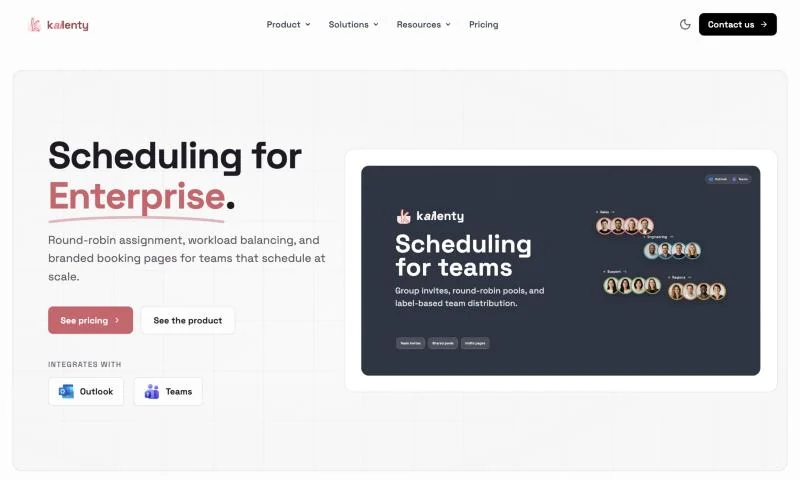
The dedicated site
The product site shows booking links, team scheduling and calendar sync in detail, with workflows for sales, recruiting, customer success and consulting. The site is in English.
 Open site
How the group works together
Bring a typical meeting: first contact, interview or customer appointment. We show you booking link, staffing and time poll using this example.